Multi-GPU and multi-node training
Multi-GPU and multi-node training solve different problems:
| Layout | Run:ai shape | Typical launcher |
|---|---|---|
| One GPU | One pod, one GPU, one process | python train.py |
| Multiple GPUs on one node | One pod requesting multiple GPUs | torchrun or accelerate launch |
| Multiple nodes | A distributed workload with multiple pods | A Run:ai-compatible torchrun, Accelerate, or MPI entrypoint |
Use more GPUs only after profiling shows that the single-GPU run is compute bound and the model or batch can scale. More GPUs can make a run slower when input loading, communication, or checkpoint writing is the bottleneck.
Prepare the application first
Section titled “Prepare the application first”Before changing Run:ai:
- Make the single-GPU command reproducible with an immutable image.
- Write checkpoints to a PVC or approved data source, not the image filesystem.
- Ensure only rank 0 writes shared metrics or non-sharded output.
- Record the local batch size, gradient accumulation, and intended global batch size.
- Confirm the framework can restore after a pod restart or preemption.
For PyTorch, choose the training strategy deliberately:
- DistributedDataParallel (DDP) keeps a model replica on each GPU and synchronizes gradients.
- Fully Sharded Data Parallel (FSDP) shards model state to reduce per-GPU memory use, but makes configuration and checkpointing more involved.
- Distributed Checkpoint (DCP) supports parallel, sharded checkpoints that can be restored with a different topology.
When the model itself must be partitioned
Section titled “When the model itself must be partitioned”DDP assumes that a complete model replica fits on every GPU. FSDP reduces that memory requirement by sharding model state, but very large models may need a different topology:
- Tensor parallelism splits large layer operations across GPUs and is normally most effective within a node with fast GPU-to-GPU links.
- Pipeline parallelism assigns groups of layers to stages and passes activations between them. It can span nodes, but introduces pipeline bubbles, micro-batch tuning, and more complicated recovery.
- Hybrid parallelism combines data, tensor, pipeline, or expert parallelism and requires an explicit rank topology and compatible checkpoint format.
DeepSpeed provides tensor, pipeline, ZeRO, and autotuning features, but these modes are not interchangeable and not every combination is supported. Read its current tensor-parallel training API, pipeline-parallel guide, and autotuning guide before proposing a topology.
Do not start a DeepSpeed autotuning sweep or copy a model-parallel configuration from another cluster. First share the model size, precision, sequence length, checkpoint format, and expected topology with your SCC AI Engineer. They will confirm whether the framework and requested communication pattern are supported on Spike and approve a bounded test plan.
Single-node multi-GPU in Run:ai
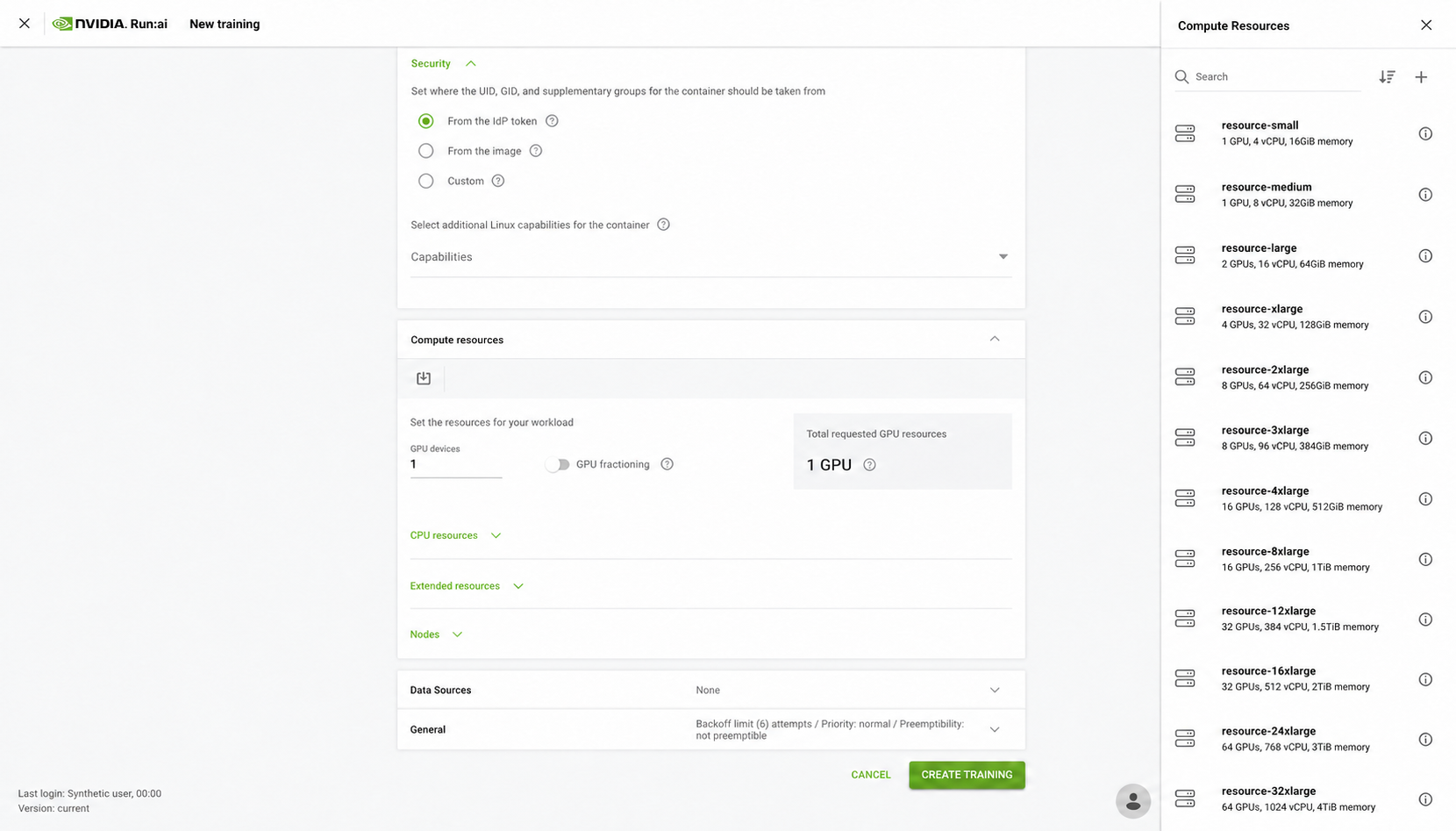
Section titled “Single-node multi-GPU in Run:ai”Use a Standard training workload and select the approved compute resource that requests the agreed number of GPUs in one pod. The process count must match the GPUs visible inside that pod.
torchrun \ --standalone \ --nnodes=1 \ --nproc-per-node=gpu \ train.py \ --checkpoint-dir /checkpointsThis example is only for one node. The training script must read
LOCAL_RANK, use one GPU per process, and initialize the NCCL process group.
See the current PyTorch torchrun
reference before adapting it.
Multi-node settings in Run:ai
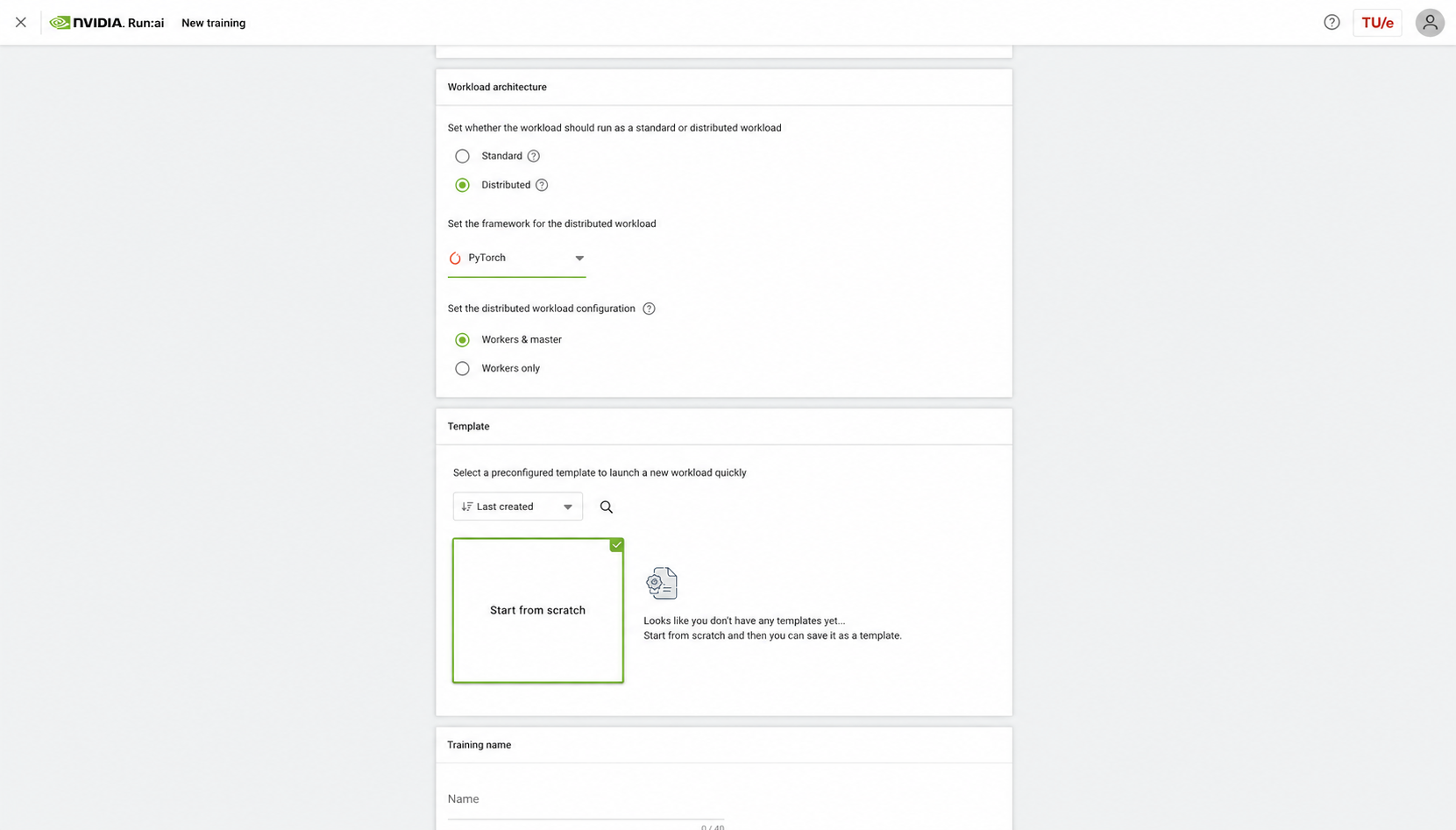
Section titled “Multi-node settings in Run:ai”Create a Training workload and configure it as follows:
- Under Workload architecture, select Distributed.
- Select the framework expected by the image, normally PyTorch for a
torchrunworkload. - Choose Workers & master or Workers only according to the launcher’s design. In NVIDIA’s PyTorch example, the master also trains, so one master plus one worker produces two participating pods.
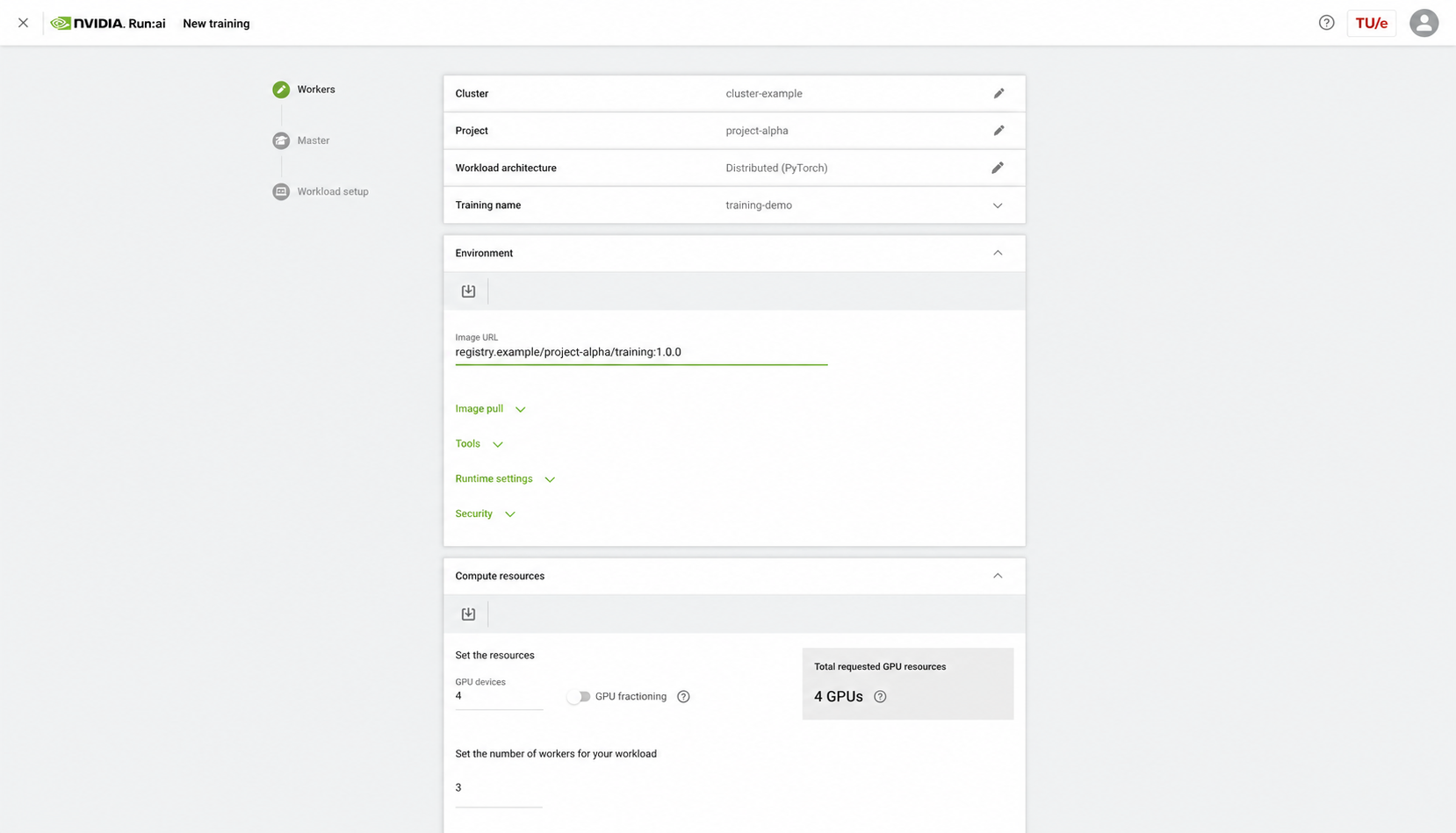
- Use the same immutable image and working directory for every participating pod unless the tested design requires a separate master.
- Enter the validated runtime command or wrapper script. It must consume the rank and world-size information injected by the PyTorch operator.
- Select the approved GPU devices per pod and number of workers.
- Mount the same data and checkpoint locations in every pod.
NVIDIA’s distributed PyTorch tutorial for
Run:ai
explains how the PyTorch operator supplies RANK, LOCAL_RANK, and
WORLD_SIZE. The distributed workload
guide
documents the worker, master, resource, and elasticity fields.
InfiniBand is an engineer-managed prerequisite
Section titled “InfiniBand is an engineer-managed prerequisite”A multi-node workload needs the approved high-speed network attachment in every participating pod. SCC AI Engineers configure and verify that attachment through the platform’s compute resources and policies. Researchers must not add Kubernetes annotations, extended-resource names, or InfiniBand device requests copied from OneNote, another project, or another cluster.
Before the real run, the AI Engineer will confirm the selected preset supplies the intended network path and validate a small node pair with the current platform test. If the application still hangs or falls back to an unexpected transport, preserve the per-rank logs and use NVIDIA’s NCCL networking troubleshooting guide with the engineer. Do not force interface names or transport settings yourself.
Validate before the real run
Section titled “Validate before the real run”Start with a short synthetic or reduced-data test and confirm:
- Every expected rank starts once and reports the same world size.
- Each process sees one intended GPU and no two processes claim the same device.
- The global batch size equals local batch size × process count × gradient accumulation.
- A checkpoint is written, reloaded, and produces the expected next step.
- Metrics are emitted once rather than duplicated by every rank.
- The run stops cleanly and its important logs are saved before they disappear.
For communication failures, temporarily set NCCL_DEBUG=INFO and save a
separate log for each rank. Remove debug overrides after diagnosis. Use NVIDIA’s
NCCL troubleshooting
guide
instead of copying interface or transport settings from another cluster.