Workload fractioning
Fractioning
Section titled “Fractioning”Fractioning is the process of splitting access to a single computer resource over processes with help of the kernel, drivers, and other software components. In other words, splitting is not enforced through access exclusivity. Unfortunately, the exact details on how Run:ai with help of Nvidia GPU Operator manages workload fractioning are proprietary. However, with help of the run:ai documentation and documentation on other more open-source based fractioning mechanisms, we can make an educated guess.
The Run:ai documentation states: when setting a GPU memory limit, the limit must be equal to or greater than the GPU fractional memory request. Both GPU fraction and GPU memory are translated into the actual requested memory size of the Request (guaranteed resources) and the Limit (burstable resources - non guaranteed). The NVIDIA Run:ai Scheduler schedules the workload to a node that can provide the GPU fraction request (0.25), and then assigns the workload to a GPU. The GPU scheduler monitors the workload and allows it to occupy memory (up until the limit). Johnson, in the technical report Symphony as Compute Ontology: Extending Insight into OpenShift and NVIDIA AI Factories, explains that Run:ai enforces fractional memory limits through CUDA call interposition, intercepting cudaMalloc via LD_PRELOAD or a custom device plugin shim to refuse allocations exceeding the fraction. This means that workload pod containers have a binary baked in which implements a custom version of the cudaMalloc method interface which asserts allocations against the fraction. LD_PRELOAD allows the binary to be linked in front of libcuda, making sure the custom cudaMalloc version is utilized. The Run:ai documentation also states: to guarantee fair quality of service between different workloads using the same GPU, NVIDIA Run:ai developed an extendable GPUOOMKiller (Out Of Memory Killer) component that guarantees the quality of service using Kubernetes semantics for resources of Request and Limit.
According to the documentation mentioned above, a distinction is made between static fraction enforcement and dynamic fraction request/limit enforcement. When configuring a static fraction (request = limit), allocations are asserted against the fraction in a custom cudaMalloc implementation. In case of a dynamic fraction (request != limit), a Linux OOM killer style tool called GPUOOMKiller is used in addition to the cudaMalloc implementation to calculate allocation niceness values and to terminate pods which have the lowest niceness value when encountering a low memory situation.
Effect on resource efficiency
Section titled “Effect on resource efficiency”The DGX nodes host 8x B200 GPUs, having 192 GB of vRAM each. The total GPU vRAM capacity per node thereby approaches the RAM limit of the DGX node. For many bag-of-task or distributed training scenarios, the portion of the process which requires execution on the GPU does not reach the vRAM limit. Therefore, fractioning prevents a lot of resource over-provisioning as a result of exclusive hardware access.
Configuring a GPU fraction in the Run:ai user interface
Section titled “Configuring a GPU fraction in the Run:ai user interface”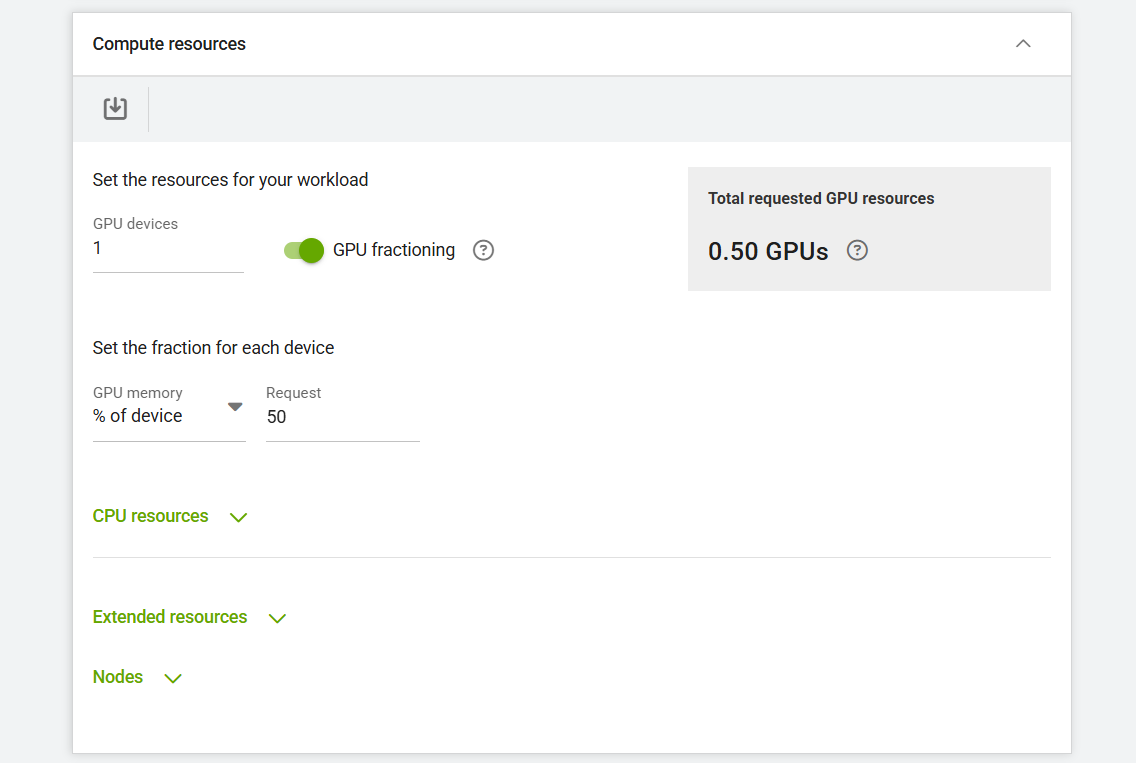
Configuring a GPU fraction in the Run:ai command-line interface
Section titled “Configuring a GPU fraction in the Run:ai command-line interface”# See command-line options --gpu-devices-request and --gpu-portion-requestrunai training submit a-test-workload -i harbor.spike.tue.nl/aiteam/pretrainingcontainer:latest -p aiteam --existing-pvc claimname=aiteam,path=/data --user-group-source fromTheImage --cpu-core-limit 7 --cpu-core-request 7 --cpu-memory-limit 64G --cpu-memory-request 64G --gpu-devices-request 1 --gpu-portion-request 0.25 --command -- bash -lc 'cd /data; python3 feature_extraction_eval.py --start_index 18999 --end_index 20000 --model_name exported_step_100000.pt'