Efficient data loading for advanced users
Data loading
Section titled “Data loading”This tutorial assumes that you can configure a torch.utils.data.Dataset and torch.utils.data.DataLoader object which efficiently loads data from a local ephemeral PVC mount. In what follows, we briefly illustrate an overview of the torch.utils.data.Dataset and torch.utils.data.DataLoader objects:
import osimport pandas as pdimport torch.nn.functional as Ffrom torchvision.transforms import v2from torchvision.io import decode_imagefrom torch.utils.data import DataLoader
class CustomImageDataset(Dataset):
  def __init__(self, annotations_file, img_dir, transform=None, label_transform=None):
    # Two-columns: string <FILENAME>.<EXT>, int label    self.img_labels = pd.read_csv(annotations_file)
    self.img_dir = img_dir
    # Callable types returning torch.Tensor    self.transform = transform        self.label_transform = label_transform
    def __len__(self):        return len(self.img_labels)
    def __getitem__(self, idx):        img_path = os.path.join(self.img_dir, self.img_labels.iloc[idx, 0])
    image = decode_image(img_path)        label = self.img_labels.iloc[idx, 1]
    if self.transform:            image = self.transform(image)        if self.label_transform:            label = self.label_transform(label)
    return image, label
training_data = CustomImageDataset("labels_train.csv", "labels_train/", v2.compose([..., ...]), F.one_hot)test_data = CustomImageDataset("labels_test.csv", "labels_test/", v2.compose([..., ...]), F.one_hot)
train_dataloader = DataLoader(training_data, batch_size=64, shuffle=True, drop_last=True, prefetch_factor=24, num_workers=12)test_dataloader = DataLoader(test_data, batch_size=64, shuffle=True, drop_last=True, prefetch_factor=24, num_workers=12)
train_batch = next(iter(train_dataloader))test_batch = next(iter(test_dataloader))
Network latency from a persistent PVC mount at the DDN storage server dominates over computational complexity
Section titled “Network latency from a persistent PVC mount at the DDN storage server dominates over computational complexity”Cluster-based supercomputers, a group of supercomputers Spike-1 belongs to, typically do not store bulk of the data which should persist across experiment runs on a computer-local storage solution. Computer-local storage is used as an intermediate storage solution for the storage of classic temporary files and files accessed frequently throughout the duration of the experiment being ran. When the experiment finishes, and the workload is officially terminated at the DGX node, the computer-local storage is wiped. Bulk of the data resides, and persists, at a (flavor of a) separate distributed RAID server accessible using normal directory indexing commands. The directory indexing commands trigger an underlying software stub system which facilitates what needs to happen across the network for the directory indexing command to be executed properly. Additionally, you may decide to stream portions of a larger dataset available through a cloud solution from the external cloud location onto computer-local storage directly.
When the torch.utils.data.DataLoader randomly tries to execute frequent disk accesses across the network using the software stub system, the data loading process will incur significant time overhead. For every frequent disk access, the stub software is accessed, causing the time overhead. Just as pre-fetching time is overlapped with GPU training time, network access can be overlapped with pre-fetching time. In pipelining, we typically refer to this as the introduction of an additional pipelining step.
Additional pipelining steps can be introduced with help of the SPDL, Scalable and Performant Data Loading package. For this explanation, we assume that the dataset is pre-sampled already according to a desired sampling pattern. For example, when stratified random sampling is sufficient, you stratify a dataset according to task labels, and subsequently shard proportionally according to the strata, the dataset. For example, when requiring domain leave-out sampling, you also shard according to strata, however, this time proportionally based on domain strata. It is important to remember that network access introduces a limitation on the first sampling procedure in that shards should be proportional according to the type of sampling you would employ locally. Sampling bias is not introduced because the different pipeline steps can be given the same pseudo-random seed. This means that when the seed changes, the order by which shards and random access into the shards happens changes accordingly.
from spdl.pipeline import PipelineBuilder, PipelineConfig, SinkConfig, Merge, build_pipelinefrom spdl.source import DistributedRandomSamplerfrom collections import defaultdictfrom async_unzip import unzipfrom typing import Sequenceimport aiofilesimport aiohttpimport aiopathimport asyncioimport spdl

# ConstantsSHARD_PATH="/tmp/shard_cache"SHARDS = 1000RANK_MAX_SHARDS = 20SHARD_SIZE = 50000NETWORK_THREADS = 16
# Asyncio specific globally accessible structuresfile_locks: dict[aiopath.AsyncPath, asyncio.Lock] = defaultdict(asyncio.Lock)

async def get_oldest_shard_async(cache_dir: str) -> aiopath.AsyncPath | None:
    path = aiopath.AsyncPath(cache_dir)  count = sum(1 async for _ in path.glob("*.zip"))    shards = []
  if count <= RANK_MAX_SHARDS:    return None
    # Async iteration over top-level directory zip files    async for item in path.glob("*.zip"):        stat_result = await item.stat()        shards.append((item, stat_result.st_mtime))
    if not shards:        return None
    shards.sort(key=lambda x: x[1])    return shards[0][0]

# Note: spdl prepends async keyword already, do not include heredef download_shard(index: int):
  url = f"https://host/images-{index}.zip"  path = f"{SHARD_PATH}/images-{index}.zip"
  path_obj = aiopath.AsyncPath(path)  if await path_obj.exists():    return path
  old_shard = await get_oldest_shard_async(SHARD_PATH)  if old_shard:    async with file_locks[old_shard]:      unzipped = str(old_shard).split('.')[0] + '/'      await old_shard.unlink()      await aiopath.AsyncPath(unzipped).rmdir()
  async with aiohttp.ClientSession() as session:
    async with session.get(url) as response:
      if resp.status == 200:
        async with file_locks[path_obj]:          f = await aiofiles.open(path, mode='wb')          await f.write(await response.read())          await f.close()
        return path
      else:        return None

# Note: spdl prepends async keyword already, do not include heredef unzip_shard(a_path: str):
  outp_path = a_path.split('.')[0] + '/'  a_path_obj = aiopath.AsyncPath(a_path)  outp_path_obj = aiopath.AsyncPath(outp_path)
  if await outp_path_obj.exists():    return outp_path
  async with file_locks[a_path_obj]:    unzip(a_path, path=outp_path, max_workers=1)
  return outp_path

async def sample_shard(    name: str,    input_queues: Sequence[asyncio.Queue],    output_queue: asyncio.Queue) -> None:
    active_queues = list(input_queues)  queues = list(active_queues)
    while active_queues:
    img_dir = await queues[0].get()    idx = await queues[1].get()
    // Note: connect img_dir and idx to functionality of earlier shared dataset/dataloader objects    // Note: when trying to read image from img_dir, make sure to acquire lock and to escape dir not found exception    ...
    output_queue.put(image, label)

# The standard rank 0, world size 1 configuration assumes 1-1 RAID SERVER node connectionsource_1 = spdl.source.utils.embed_shuffle(  DistributedRandomSampler(    SHARDS,    rank=0,    world_size=1,  ))source_2 = spdl.source.utils.embed_shuffle(  DistributedRandomSampler(    SHARD_SIZE,    rank=0,    world_size=1,  ))
backend_1 = (  PipelineBuilder()  .add_source(source_1, continuous=True)  .pipe(    download_shard,    concurrency=NETWORK_THREADS // 2,  )  .pipe(    unzip_shard,    concurrency=NETWORK_THREADS // 2,  ))backend_2 = (  PipelineBuilder()  .add_source(source_2, continuous=True))
pipeline_config = PipelineConfig(    src=Merge([backend_1.get_config(), backend_2.get_config()], op=sample_shard),    pipes=[],    sink=SinkConfig(20))pipeline = build_pipeline(pipeline_config)
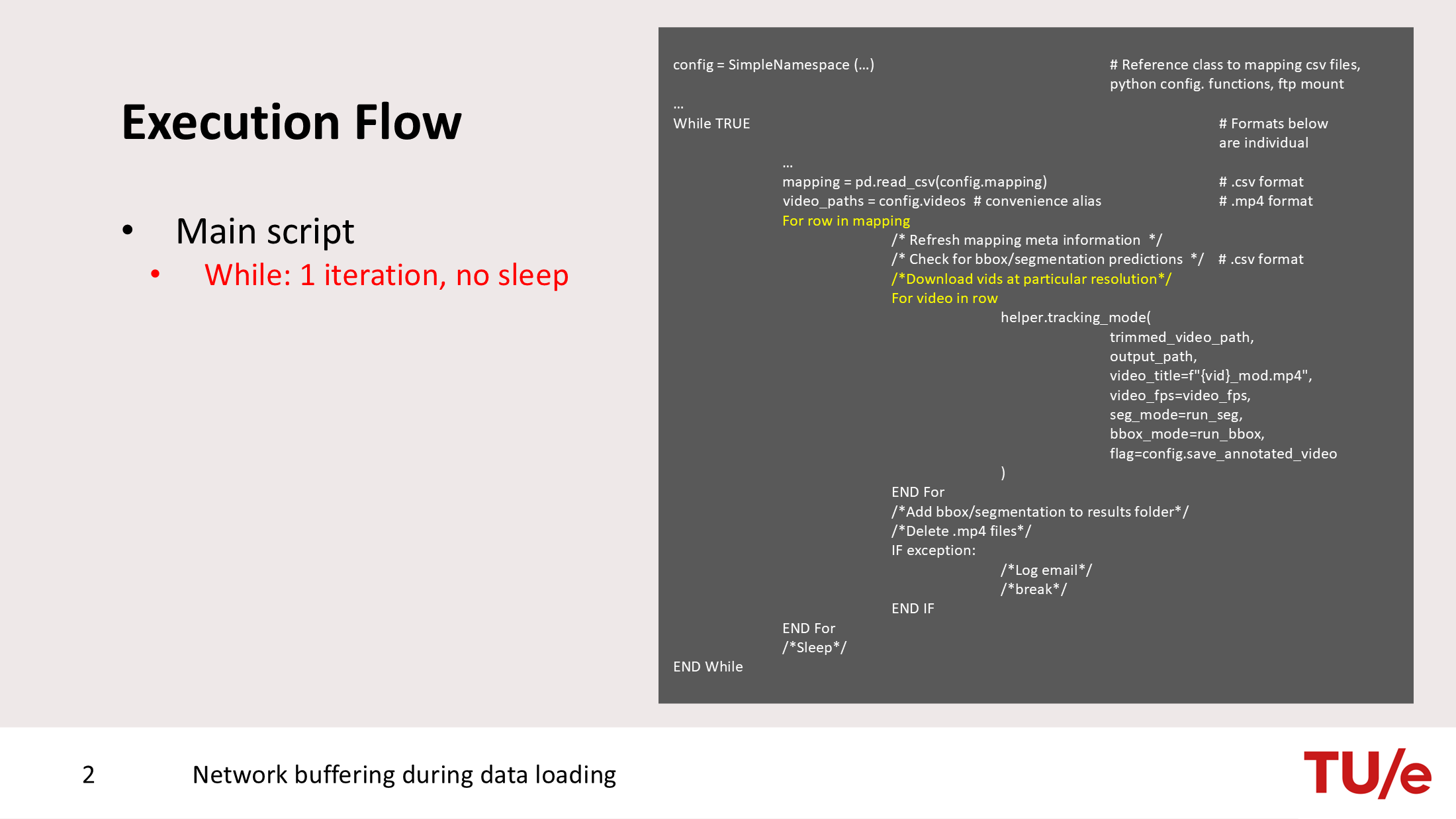
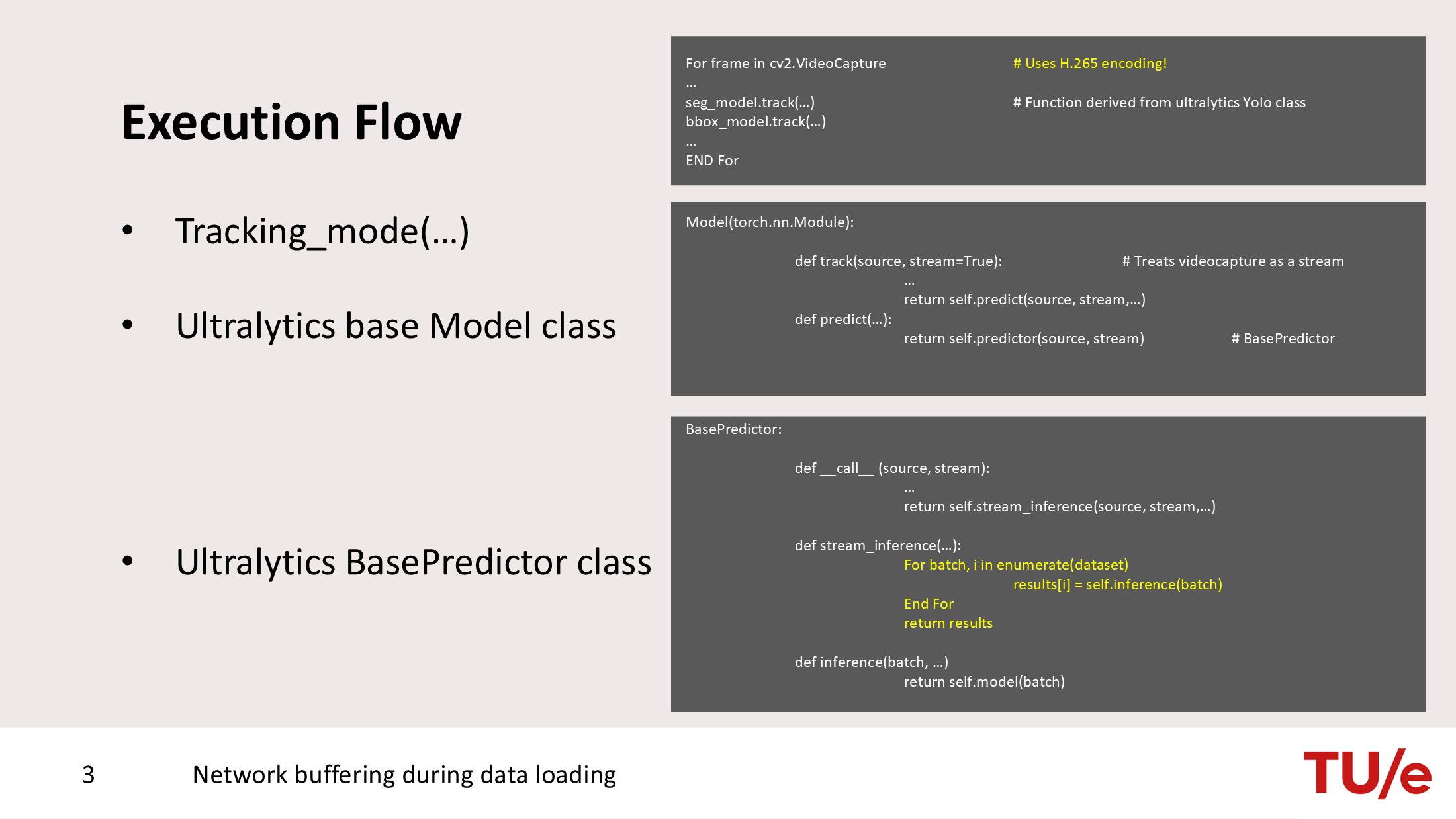
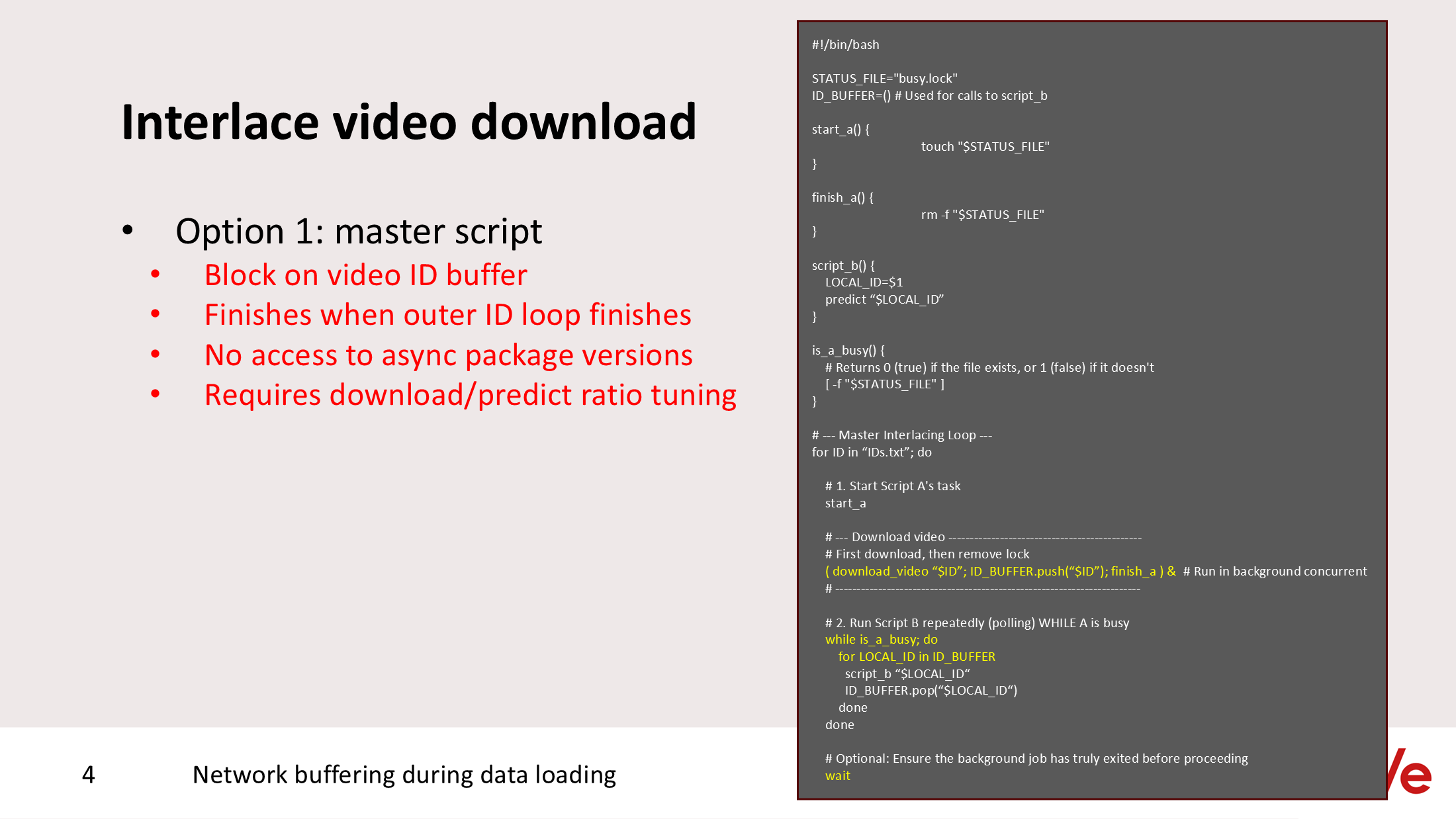
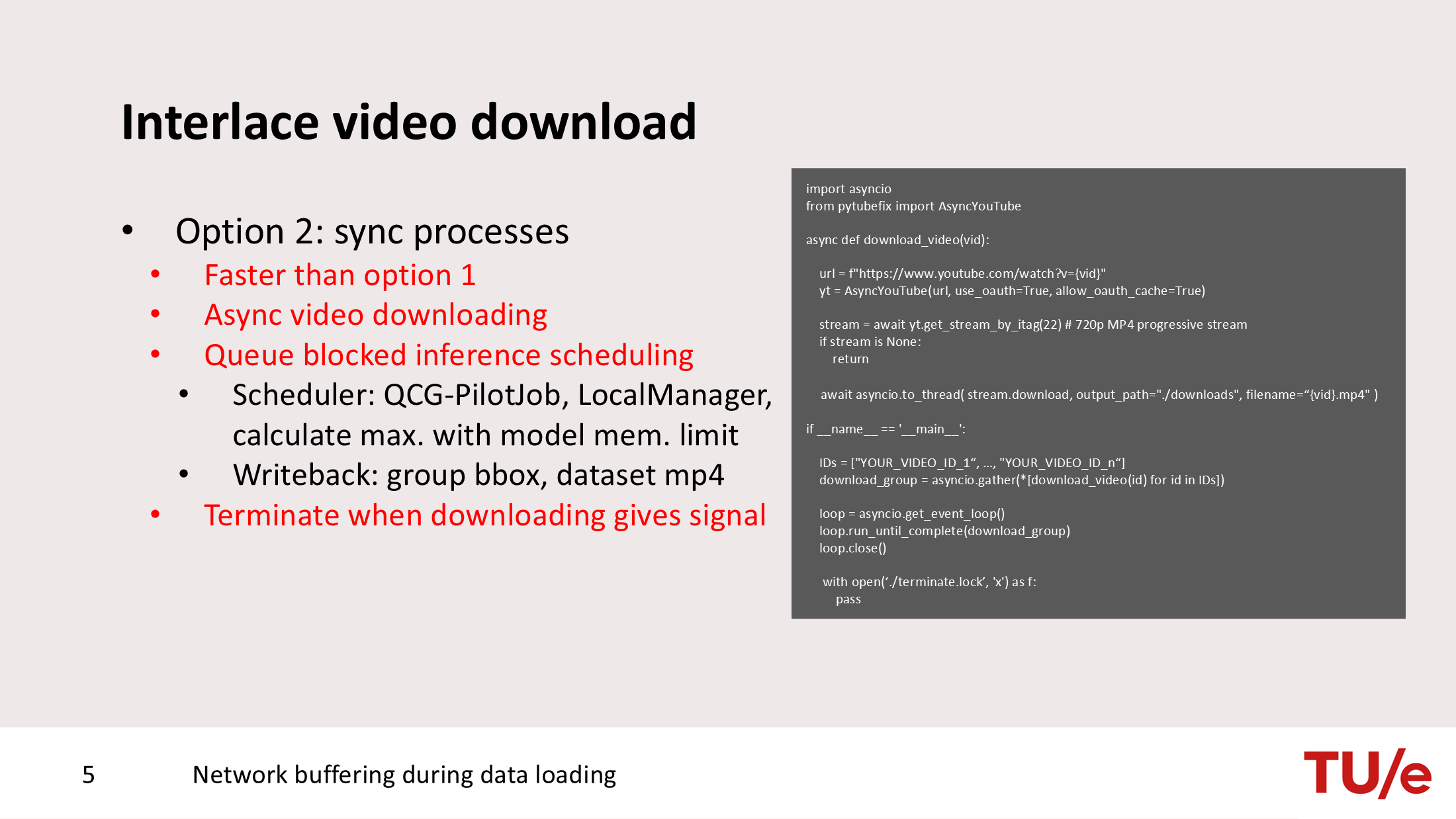
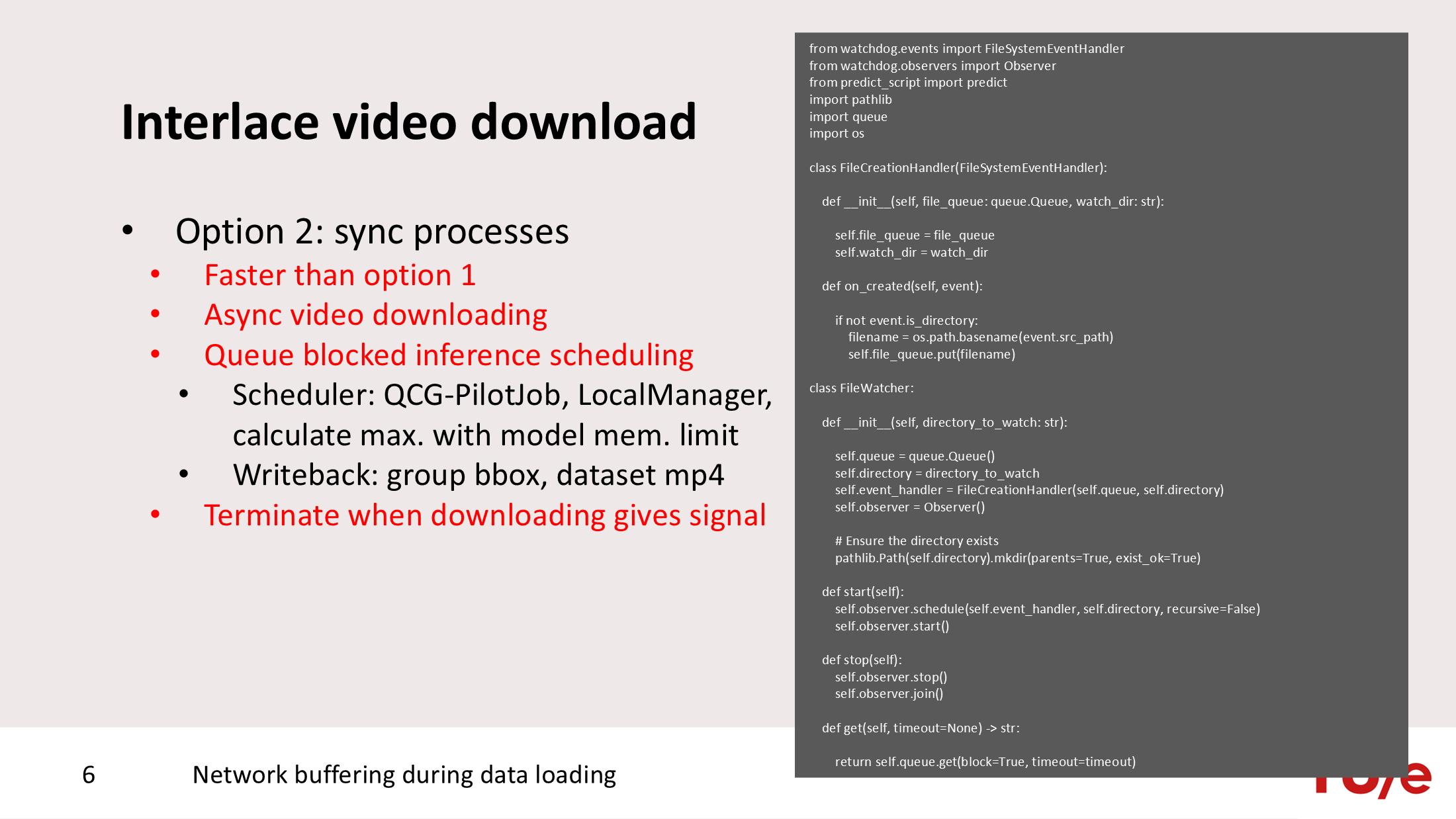
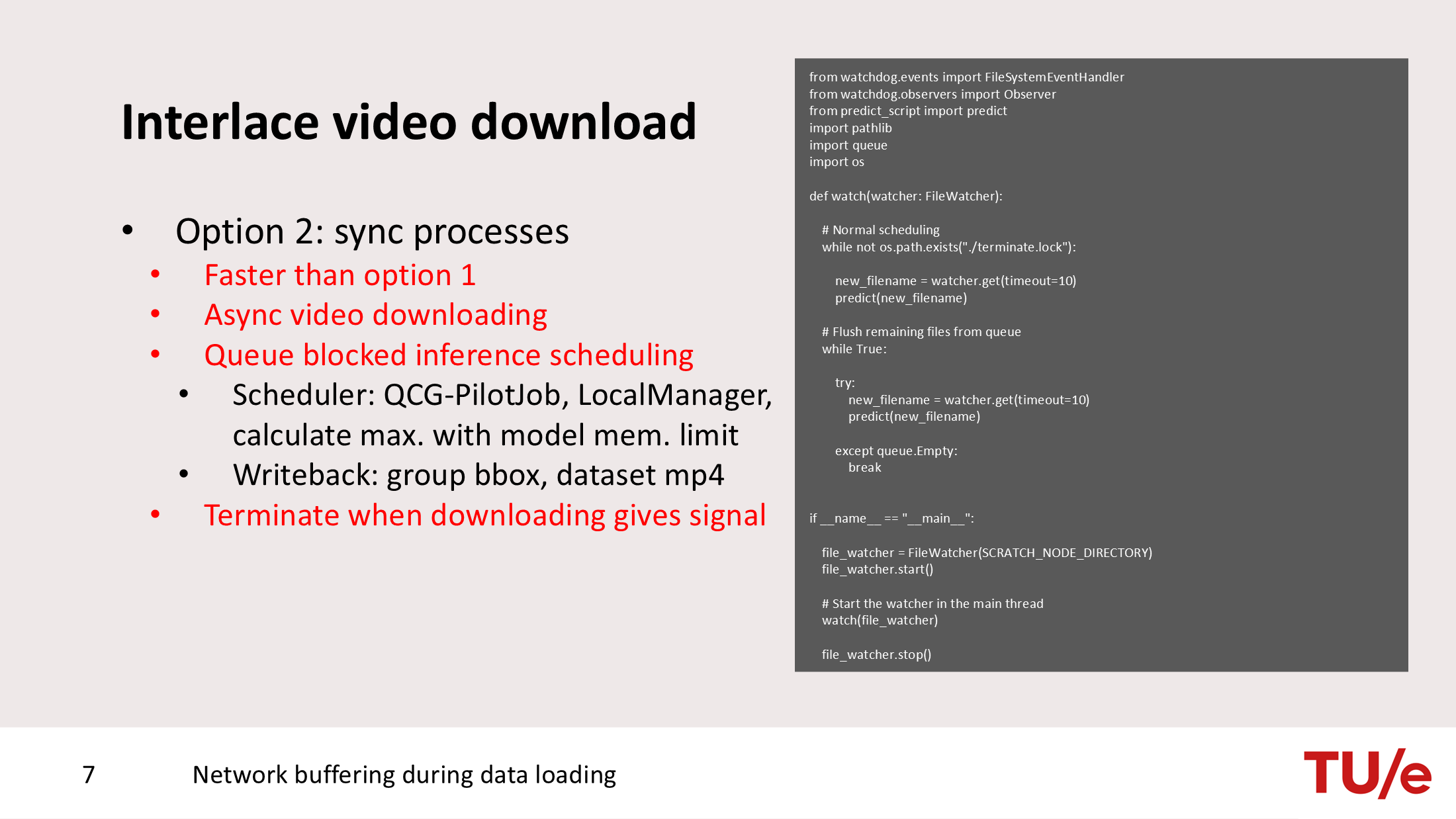
An inferencing example involving direct downloading from Youtube is hereby included as well. Rather than using SPDL pipelining, the inferencing example relies on a combination of sub-processes. Sub-processes include async I/O downloading, a file watchdog, and a node allocation local scheduling system implemented with QCG-PilotJob.
Interconnect transfer latency from CPU to GPU dominates over computational complexity
Section titled “Interconnect transfer latency from CPU to GPU dominates over computational complexity”Let’s assume that I have image data which resides at a local ephemeral PVC mount but it has extremely large dimensions. This is a situation you typically encounter with medical images such as CT scan, MRI scan, and Histopathology images. For the machine learning task, these images cannot be compressed because compression introduces unwanted artifact effects (e.g. a fracture prediction based on an unsharp tissue region). Because the B200 GPUs present in the DGX nodes can computationally process matrices very fast, the transfer latency of the image from CPU RAM to GPU vRAM becomes a major bottleneck. As a solution to this problem, Nvidia recently introduced the cuFile API. The API, by means of a GPU device pointer and the cuFuleWrite method, transfers data from the local ephemeral PVC mount directly into vRAM memory. There is no intermediate transfer step anymore from the local PVC mount to RAM.
PyTorch provides the torch.cuda.gds.GdsFile class to interface with the cuFile API, however, the implemented transfer mechanics are rather primitive (transference of bytes with a particular offset). Therefore, we recommend utilization of higher-level abstractions such as the monai.data.dataset.GDSDataset class which automatically encodes interaction into the more primitive form of transfer mechanic described earlier. The package MONAI has the ability to recognize PyTorch as a tensor computation backend.
import osimport torchimport pandas as pdimport monai.transforms as mtfrom monai.data import ThreadDataLoaderfrom monai.data.dataset import GDSDataset
img_dir_train = "labels_train/"labels_fpath_train = "labels_train.csv"device = "cuda:0" if torch.cuda.is_available() else "cpu"cache_dir = "/gds_cache_dir"
transform = mt.Compose(    [        mt.LoadImageD(keys=("image", "label"), image_only=True, ensure_channel_first=True),        mt.EnsureTypeD(keys=("image", "label"), device=device)    ])
// Convert labels into separate loadable files// Explanation further assumes access to "labels_train/labels/"...
input_data = []for filename in os.listdir(os.path.join(img_dir_train, "")):    input_data.append(        {            "image": os.path.join(img_dir_train, filename),            "label": os.path.join(img_dir_train, "labels", filename),        }    )
dataset = GDSDataset(data=input_data, transform=transform, cache_dir=cache_dir, device=0)dataloader = monai.data.ThreadDataLoader(dataset, batch_size=16)
train_batch = next(train_dataloader)